When we set up a new website, we create a Google Analytics Account, Google Analytics gives you insights into how your website is performing, conversion tracking, acquisition tracking and much more. If you do not have a Google Analytics Account, we will set one up for you, at no additional charge. However, if you already have an account all you need to do is give us access, to do that, just follow these steps.
- Head to https://analytics.google.com/ and login to your Account
- Ensure you are in the correct account should you have multiple sites. You can choose the dropdown arrow to change the account.

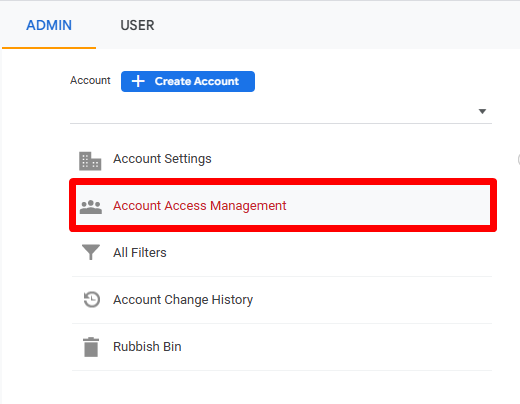
- In the bottom left of the screen, hit the admin cog, followed by Account Access Management
- Then click the plus (top right) followed by Add User
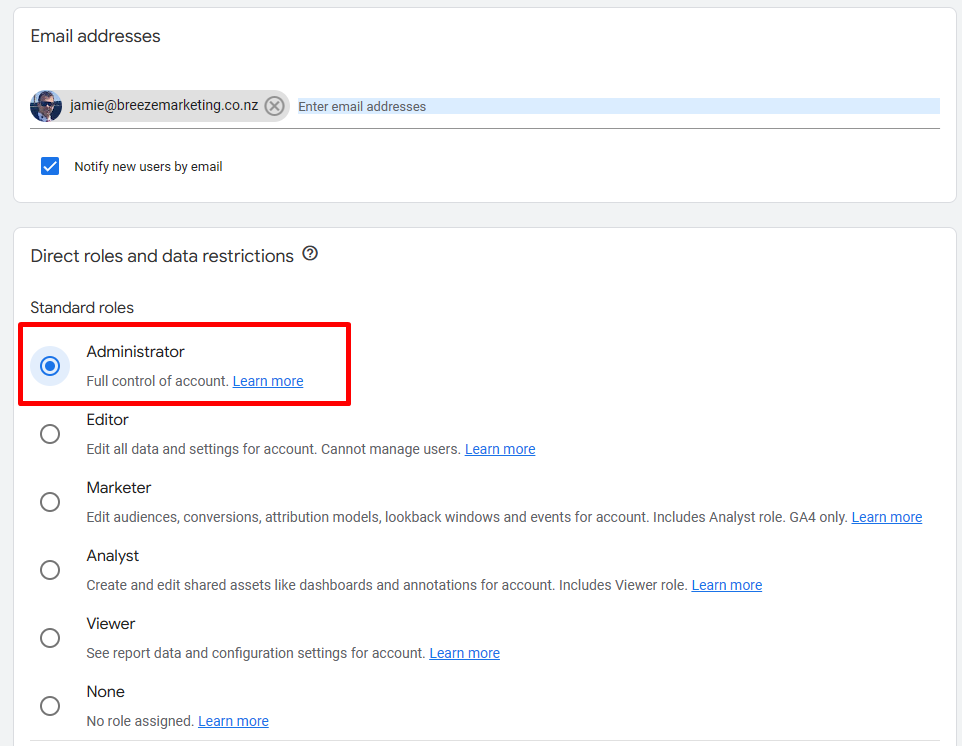
- Enter the email address of your contact at Breeze Marketing (for example jamie@breezemarketing.co.nz), choose the Administrator option under standard roles, then click Add (in the top right)