Pointing your Nameservers to Breeze Marketing will move the control of your domain to Breeze Marketing, this means any services (like email) that you have or plan to have in the future will be set up through Breeze Marketing using our self-service customer portal or by getting in touch with one of the team.
- Log in to your Domain Name Provider
- Navigate to manage your Domain DNS Settings
- Find your Nameserver Records, the may look like (ns1.host.co.nz or ns2.host.co.nz) possibly followed by an IP Address.
- Delete all Nameservars and Add the following two records.
- ns1.breeze.marketing
- ns2.breeze.marketing - Click Save
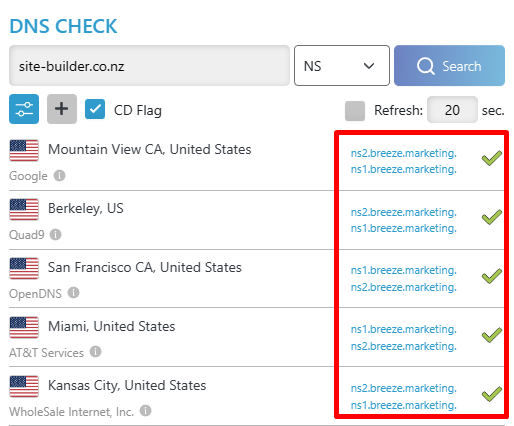
It can take up to 48 hours for the chenge to take place, although it is usually done much faster, to check you can head to https://dnschecker.org/ select NS from the dropdown list and you should get the same result as below.